Call Us Today 0121 328 8150
Call Us Today 0121 328 8150
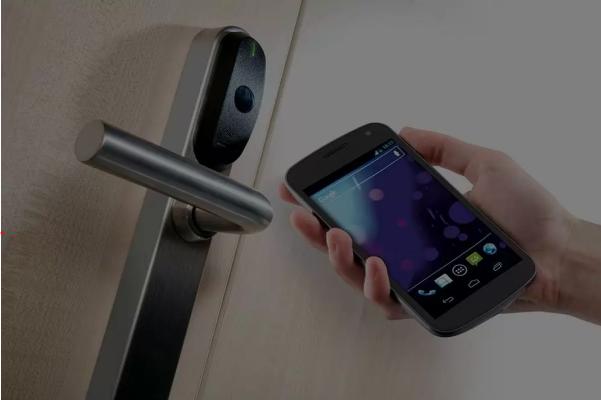
Paxton Smart Locks form part of an networked Net2 access control system. This editorial review focuses specifically on the PaxLock variant, a wireless, battery-powered electronic lock designed to integrate with the Net2 management software. This is an independent editorial review of the best smart locks in 2026 for commercial business use; based on technical specifications and documented product performance.
Note: ID Security Systems Ltd are established Security System designers and approved UK Paxton installers based in Birmingham, West Midlands. This does not affect the impartiality of this review which is provided as an informational piece.
PaxLock Smart Locks are designed for commercial and educational facilities requiring wireless, networked access control on internal doors. The PaxLock’s primary strength lies in the seamless integration with existing Net2 software for centralized management, though it is limited by its reliance on a stable proprietary wireless bridge for real-time communication.
Manufacturer Product Specifications
The PaxLock Smart Lock is constructed primarily from high-grade zinc alloy with a brushed steel or black finish options. It features a toughened plastic reader window designed to withstand frequent contact from proximity tokens or cards. The internal components are engineered for high-traffic use, typical of office or school environments. While the Paxton does not specify specific sustainable material sourcing, the smart locks durability is intended to provide a long service life, and the move to wireless hardware reduces the environmental impact associated with extensive copper cabling during installation.
The PaxLock Smart Lock is most appropriate for internal doors in buildings where running physical data cables is difficult, such as heritage sites or modern glass-partitioned offices. It is suitable for sites that already utilize a Paxton Net2 system for perimeter security and wish to extend control to internal rooms. It may not be ideal for high-security external perimeter gates or areas where sustained sub-zero temperatures could affect battery performance and mechanical fluid movement. Furthermore, it is not suited for doors requiring a physical key override as a primary means of entry.
The Paxton PaxLock serves as a functional extension of the Net2 ecosystem, providing a balance between security and installation efficiency. This family of Smart Locks effectively bridges the gap between standalone digital locks and fully wired access control points. The primary trade-off involves the transition from hardwired reliability to the maintenance requirements of a battery-operated wireless device. For organizations already utilizing Paxton infrastructure, it offers a consistent user experience across the site, though site-wide wireless surveys are essential to ensure consistent connectivity. We have no hesitation in identifying the Paxton PaxLock as one of the best Smart Locks for Business and Commercial use in 2026.
Can PaxLock work without the Net2 software? No, the networked PaxLock variant reviewed here is designed specifically to operate as part of a Net2 system. It requires the Net2 software for configuration, user permission management, and event logging. Without the central software and a wireless bridge, the device cannot perform its networked functions or provide real-time reporting.
How do smart locks handle a power or network failure? The PaxLock operates on local battery power, so it remains functional during a building-wide mains power outage. If the wireless network connection to the Net2 server is lost, the unit retains its local database of authorized users, allowing them to gain entry. However, events will only upload to the software once the connection is restored.
What maintenance is required for a wireless PaxLock system? Regular maintenance primarily involves monitoring battery levels via the Net2 software alerts and replacing the AA batteries when prompted. Additionally, periodic physical inspections of the handle mechanism and latch alignment are recommended to ensure the motor can engage and disengage without mechanical resistance, which preserves battery life and ensures security.
Which proximity tokens are compatible with Paxton PaxLock hardware? The reader is compatible with Paxton’s own Net2 tokens and cards, as well as various third-party formats including MIFARE and HID Prox. This allows facilities to potentially use existing employee ID badges with the PaxLock hardware, provided the encryption and frequency standards match the specific reader version installed.
Who It’s For
Who It’s Not For

to discuss your smart security needs today.
Call: 0121 328 8150
Email: enquiries@idsmartsecurity.com
Office: Gee House, Holborn Hill,
Birmingham, West Midlands, B7 5PA